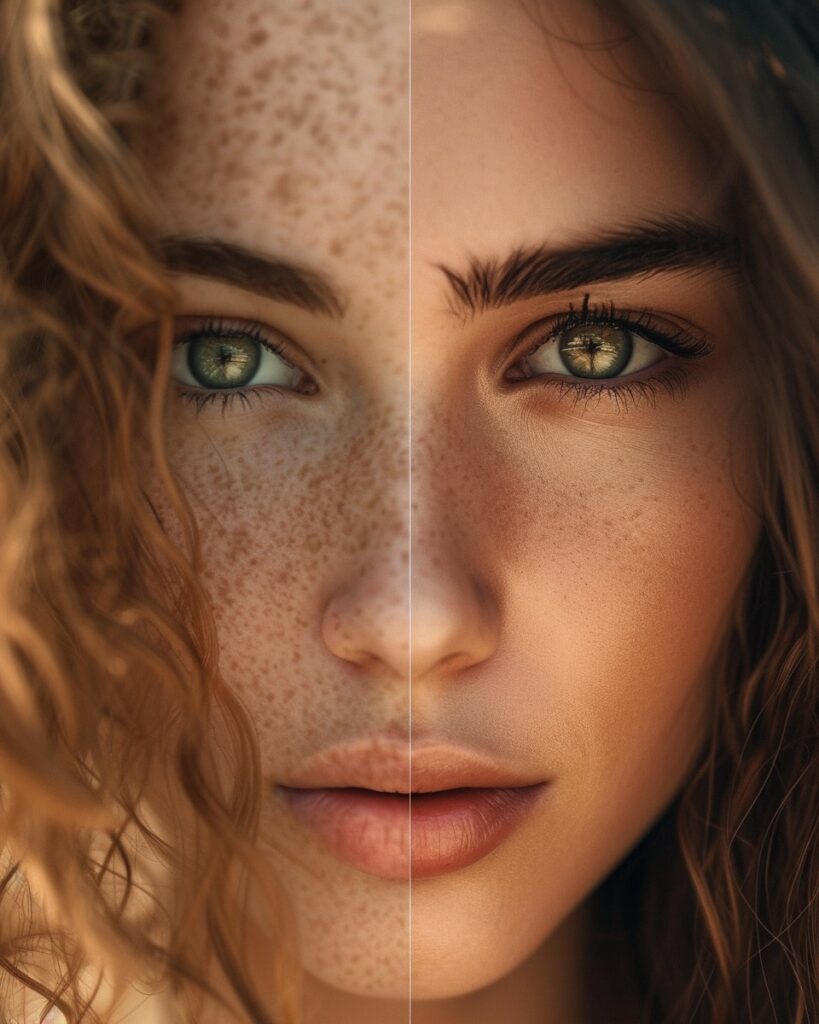
Using AI to Easily Edit and Restyle Your Photos
-
AI photography software makes photo editing accessible and efficient for enthusiasts of all levels.
-
Look for user-friendly interfaces, one-click enhancements, and advanced AI features when choosing software.
-
Starting with AI photo editors involves simple installation and learning basic functions to import photos.
-
Automated tools in AI software can dramatically improve photo quality with minimal effort.
-
Advanced AI features offer capabilities like detailed retouching and style transfer to elevate your photography.
Unlocking the Power of AI for Effortless Photo Editing
Imagine transforming your photos into stunning pieces of art with just a few clicks. With powerful AI integrated image editing software, you don’t need to be a pro to create breathtaking images. The right tools can make all the difference, and I’m here to guide you through the process of selecting and using AI software that will empower your photography journey.
What Is AI Photography Software?
At its core, AI photography software uses artificial intelligence to analyze and enhance your photos automatically. This means you can say goodbye to hours of manual adjustments. Whether you’re looking to correct lighting, adjust colors, or even compose your shots better, AI software has got your back. AI editing takes the guesswork out of taking photgraphs. Particularly if you’re looking for professional results quickly and easily.
Can AI Photo Software Replace Human Editors?
AI photo software is incredibly advanced, but it’s not here to replace human editors. Instead, it’s a tool to assist and augment the creative process. While AI can handle repetitive tasks and basic edits with ease, the nuanced understanding and unique vision of a human editor are irreplaceable.
How Does AI Understand What Makes a Good Photo?
AI understands what makes a good photo by learning from vast datasets of images that have been labeled by professional photographers. It uses this information to recognize patterns and apply the most effective edits to new photos. However, the ‘goodness’ of a photo can be subjective, and that’s where your creative input is invaluable.
Why AI Makes Editing Easier
AI simplifies photo editing because it can understand what makes a good photo great. It learns from thousands of images to apply the best edits to your pictures. Most importantly, it’s designed to be user-friendly. You don’t need to know all the technical jargon or spend time learning complex software. Instead, you can focus on capturing moments and let AI take care of the rest.
Choosing the Right AI Photography Software
When you’re looking to get started, the range of options available can be overwhelming. Therefore, let’s break down what you should keep an eye out for when choosing the best AI photography software for your needs.
Key Features to Look For
Here’s what to consider:
-
Intuitive User Interface: You want software that’s easy to navigate, making photo editing a breeze.
-
One-Click Enhancements: Look for the ability to improve your photos instantly with a single click.
-
Advanced Editing Options: The software should offer advanced features for when you’re ready to take your editing to the next level.
-
Customization: Even with AI, you’ll want some control over the final look of your photos.
-
Compatibility: Ensure the software works well with your computer’s operating system.
Now, let’s dive into some top picks that strike the perfect balance between simplicity for beginners and power for those who want to delve deeper.
Top Picks for Beginners and Hobbyists
If you’re just starting out or you’re a hobbyist looking to streamline your workflow, here are a few software options that stand out:
-
Adobe Photoshop Elements: Known for its guided edits and user-friendly interface, it’s a solid choice for those new to photo editing.
-
Luminar AI: With its template-driven editing, Luminar AI helps you achieve professional-looking results without the complexity.
-
Canva’s Magic Tool Suite: Perfect for social media enthusiasts, Canva simplifies resizing and offers a range of AI-driven design features, which are continually being expanded and improved.
-
Topaz Labs Photo AI: An all round photo editing solution at a reasonable one time investment.
-
Movavi Photo Editor: Excellent for restoring old photos, changing or removing backgrounds, color corrections.
Most editors offer a free trial period, although some restrict available features until purchase. Make use of the trials to find out which editor aligns best with your photography style, editing needs and budget.
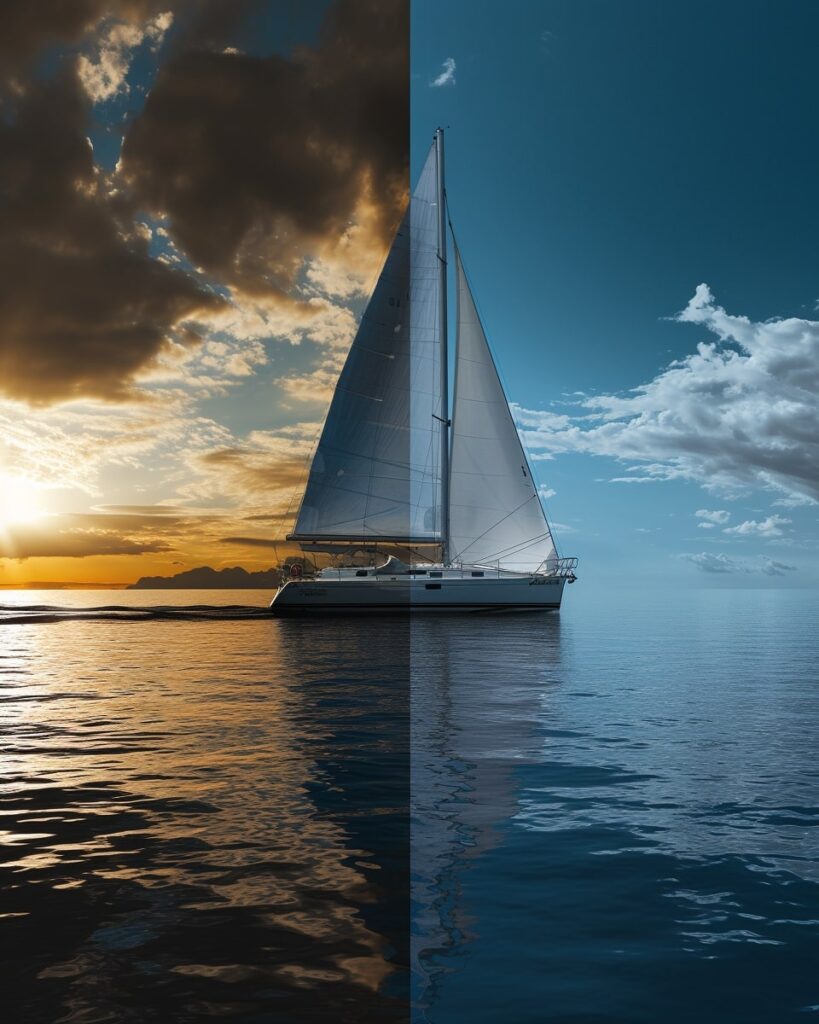
Getting Started With AI Photo Editors
Once you’ve picked your software, getting started is as easy as pie. You’ll usually find that installation is a straightforward process. Most software comes with step-by-step instructions, and before you know it, you’ll be ready to import your first photo and start experimenting with the magic of AI.
Installation and Basic Setup
Typically, you’ll download the software from the provider’s website or use it online from their site. Follow the prompts, and fill in any required information. After installation, it’s a good idea to familiarize yourself with the layout. Take a tour if one is offered – it’s a great way to get comfortable with the software’s features.
If there are free tutorials use them. Nobody knows the software like the developer.
Importing Your First Photo
Importing is a cinch. Usually, you can drag and drop your photo into the software or use an import button. Once your photo is in, take a moment to admire it – this is the last time you’ll see it pre-AI magic!
Importing Your First Photo
Getting your photo into the software is your first step to unlocking AI’s potential. It’s typically as simple as dragging and dropping your photo into the application or clicking an ‘Import’ button. Once your image is uploaded, you’re set to start the transformation process. Remember, the original photo is your canvas, and AI is your palette of endless possibilities.
Mastering One-Click Edits
One of the most exhilarating features of AI photography software is the one-click edit. With a single action, your photo can go from good to great. This feature applies a series of adjustments – like color correction, exposure balancing, and sharpening – all optimized by AI. It’s designed to make your photos pop without the need for a deep dive into editing techniques.
Exploring Automated Enhancement Tools
Automated enhancement tools are the secret sauce of AI photo editing. They analyze your photos, identify areas that can be improved, and apply corrections that typically include:
-
Lighting adjustments to bring out the details in shadows and highlights
-
Color enhancement for more vibrant and true-to-life hues
-
Sharpening to bring clarity to your images
These tools are smart enough to make subtle changes that collectively make a big impact. And the beauty is, they learn from each photo they process, getting better over time.
Customizing Auto-Edits to Your Taste
While AI does a fantastic job on its own, you might want to add a personal touch to the auto-edits. Most software allows you to tweak the results, giving you control over the final image. You can adjust the intensity of the applied enhancements or even add and remove specific adjustments to suit your style. This way, your photos will not only look professional but also uniquely yours.
Advanced Editing with AI Features
When you’re ready to take your editing up a notch, advanced AI features come into play. These tools can perform tasks that once required a skilled editor, such as object removal, sky replacement, and even predicting the best crop for your composition.
Utilizing AI for Detailed Retouching
Detailed retouching is where AI really flexes its muscles. It can pinpoint imperfections like blemishes or unwanted objects and remove them seamlessly. This precision work is done with an understanding of the surrounding pixels, ensuring that the end result is natural and undetectable. You’ll be amazed at how AI can clean up a busy background or perfect a portrait with minimal input from you.
For example, removing a stray piece of litter from a beach scene can turn a distracting element into an uninterrupted stretch of sand, making your photo more serene and visually pleasing.
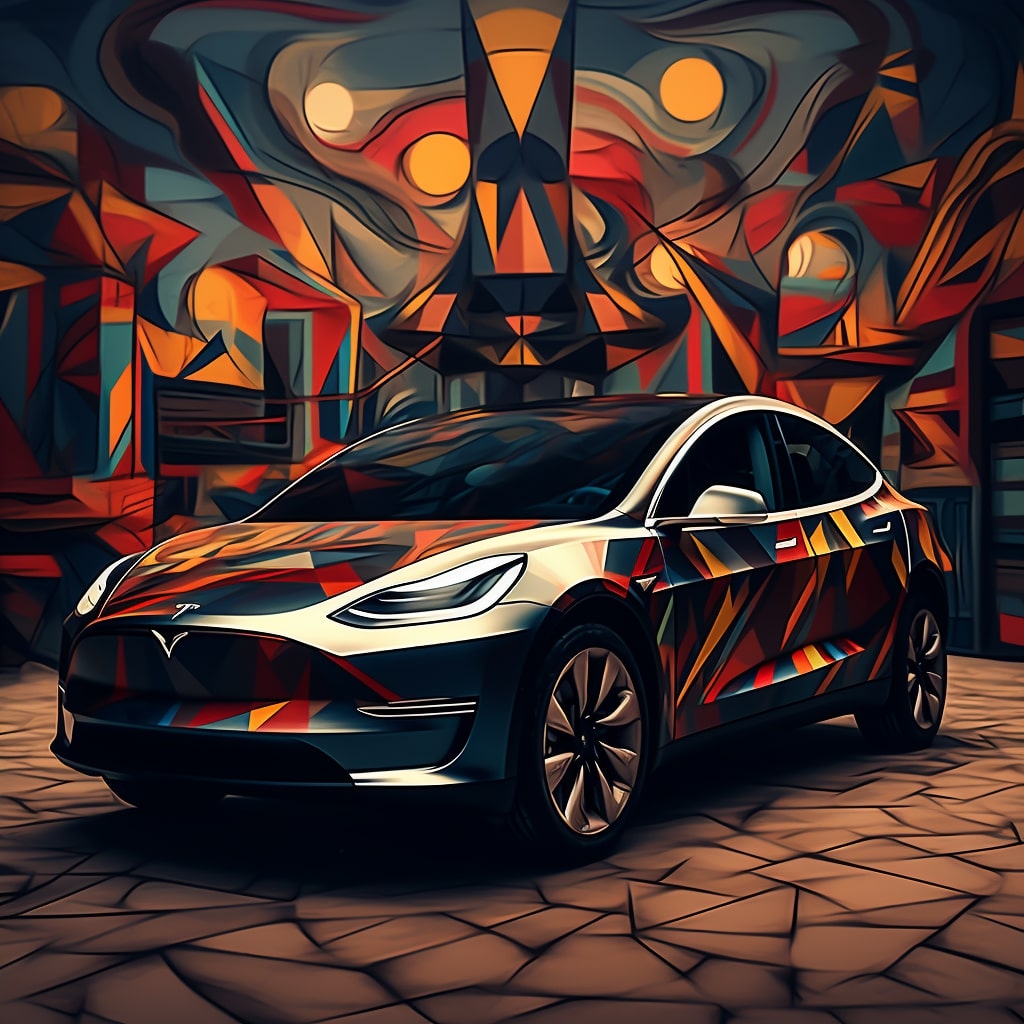
Transforming Images with Style Transfer
Style transfer is another advanced feature that’s as fun as it is impressive. It allows you to apply the artistic style of one image to another. Imagine giving your vacation photos the look of a Van Gogh painting or a vintage film effect. This is AI tapping into the creative realms of photography, pushing the boundaries of what you can achieve with your images.
Organizing and Managing Your Photos
With the power of AI, organizing your photo collection is no longer a daunting task. AI software can automatically tag your images based on content, making it easy to sort and find them later. You can quickly search for all your beach photos, family portraits, or sunset shots without manually tagging each one.
Efficient Album Management with AI Tagging
AI tagging analyzes your photos and assigns relevant tags, such as ‘dog’, ‘mountain’, or ‘birthday’. This intelligent system not only saves you time but also helps keep your growing photo collection in check. With everything neatly organized, you’ll spend less time searching and more time creating.
For instance, if you’re looking for that perfect photo of your pet to print and frame, AI tagging can help you find it in seconds, even among thousands of images.
Seamless Integration with Cloud Services
Many AI photo editors now offer seamless integration with cloud services. This means you can store your edited photos online and access them from any device. It’s a convenient way to ensure your photos are safe, backed up, and available whenever you need them. Plus, sharing with friends and family becomes effortless.
Sharing Your AI-Enhanced Photos
Once you’ve edited your photos, it’s natural to want to share them. AI software often includes features that make it easy to share your creations directly to social media or via email. Some even offer options to format your photos specifically for platforms like Instagram or Facebook, ensuring they look their best when viewed by others.
Remember, the best part about photography is sharing your view of the world. With AI-enhanced photos, you’re not just sharing an image; you’re sharing a piece of art that you’ve had a hand in creating.
Once you’ve edited your photos, it’s natural to want to share them. AI software often includes features that make it easy to share your creations directly to social media or via email. Some even offer options to format your photos specifically for platforms like Instagram or Facebook, ensuring they look their best when viewed by others.
Remember, the best part about photography is sharing your view of the world. With AI-enhanced photos, you’re not just sharing an image; you’re sharing a piece of art that you’ve had a hand in creating.
Best Practices for Social Media Publishing
Sharing your AI-enhanced photos on social media should be as much about strategy as it is about creativity. To make the most impact, consider the following best practices:
-
Choose the right platform for your audience and type of photography.
-
Optimize image sizes and formats for each social media channel.
-
Use hashtags wisely to increase visibility and engagement.
-
Engage with your followers by responding to comments and messages.
-
Post consistently, but prioritize quality over quantity.
By following these steps, you’ll ensure that your AI-enhanced photos not only look fantastic but also reach the widest possible audience.
Creating a Portfolio with Enhanced Images
A portfolio is your visual resume and a testament to your skills. With AI-enhanced images, you can create a portfolio that stands out. Showcase your best work, tell a story with your images, and let the quality of your AI-assisted edits impress potential clients or collaborators. Use platforms like Behance or create your own website to display your portfolio professionally.
Frequently Asked Questions (FAQ)
Is AI Photography Software Difficult to Learn?
Not at all! User-friendly AI photography software is designed to be intuitive and easy to learn. Most come with helpful tutorials and support to get you started, and the automated features take care of complex edits, making the learning curve much smoother.
What Are the Limitations of AI in Photography?
While AI can perform a wide range of tasks, it has limitations. It may not always interpret the photographer’s intent or understand the context of a photo. Additionally, AI might struggle with edits that require a high level of creativity or abstract thinking, which are areas where human input shines.
Are There Any Privacy Concerns with AI Photo Editing?
Privacy concerns with AI photo editing primarily revolve around data handling. When using cloud-based services, it’s important to understand how your photos are stored and used. Always read the privacy policy of the software you choose and take steps to protect your digital privacy.